

▷
Selector lever position D is engaged.
▷
The brake has not been applied.
▷
The accelerator pedal is not being pressed.
▷
SPORT driving mode is not activated.
▷
Depending on national-market version:
PERSONAL drive mode is not activated.
▷
Dynamic Stability Control is activated.
The function is available in the speed
range from approx. 16 mph/25 km/h to
100 mph/160 km/h.
Operation via shift paddles
Principle
Depending on the vehicle's equipment, the
Coasting mode can be influenced with the shift
paddles.
Activating/deactivating coasting via
shift paddles
To activate coasting mode, pull the right shift
paddle and hold it
briefly.
To deactivate coasting mode, pull the left shift
paddle.
System limits
Coasting cannot be used, or can only be used
to a limited extent, in the following situations:
▷
When Active Cruise Control is on.
▷
If driver assistance system sensors are de-
fective, dirty, or covered.
Efficient Mode
Principle
Efficient Mode is a drive mode that provides
consumption-optimized tuning and an antici-
patory display.
In
addition, the efficiency trainer displays situa-
tion dependent notes to assist with an efficient
driving style.
The extended range achieved is displayed on
the instrument cluster as a bonus range.
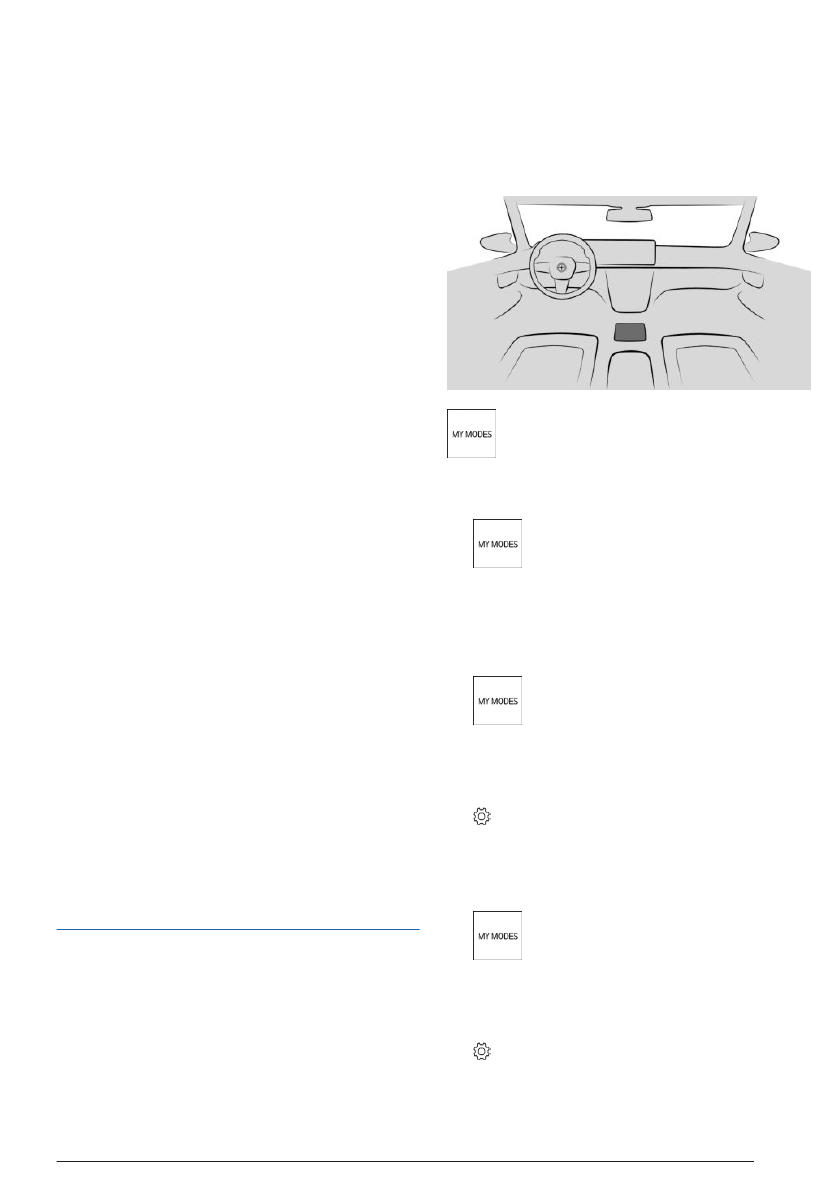
Overview
The My Modes button located on the
center console.
Selecting the driving mode
1.
To select Efficient Range, press the
My Modes button on the center console.
2.
"EFFICIENT"
Configuring Efficient mode
1.
To configure Efficient Range, press
the My Modes button on the center con-
sole.
2.
"EFFICIENT"
3.
Select the settings icon.
4.
Select the desired setting.
Resetting the settings
1.
To reset the settings for Efficient
Mode, press the My Modes button on the
center console.
2.
"EFFICIENT"
3.
Select the settings icon.
4.
"Reset settings"
Saving fuel
Driving tips
329
Online Edition

▷
When Active Cruise Control is on.
▷
When towing a trailer.
▷
When the transmission Sport program is
activated.
Anticipatory driving style
Principle
An indicator on the instrument cluster informs
the driver when deceleration will be necessary
soon, even if the cause is not yet visible. Situa-
tions requiring vehicle deceleration include, for
example: roundabouts or lower
speed limits.
Situation-specific information and the distance
to the upcoming route section is shown above
the current speed limit on the instrument clus-
ter.
If an alert is
received, the vehicle's speed and
its consumption can be reduced using the ap-
propriate accelerator pedal position and coast-
ing until the route section
is reached.
This system recommends that the driver
promptly slow down by shrinking the blue
range on the power gauge on the instru-
ment cluster. The blue range on the power
gauge remains small until the route segment
is reached.
Display in the instrument cluster
The forecast information is displayed on the
instrument cluster.
The prompt for an upcoming route segment,
for example, is issued as a recommendation to
let the vehicle coast.
The icon, e.g., to turn, indicates the route sec-
tion detected.
Icon
Meaning
Turn.
Speed limit or entering an urban
area.
Roundabout.
Exit on roads outside of towns and
cities.
Curve.
A vehicle has been detected ahead of
you.
System limits
The display of the upcoming route sections is
not available in the following situations, for in-
stance:
▷
The speed limits are temporary and varia-
ble, e.g., in construction zones.
▷
In the case of navigation data that is inva-
lid, outdated or not available.
▷
With country-specific restrictions on map-
based route sections.
Driving style assessment
Principle
The Efficiency Coach evaluates the driving
style for the current trip with regard to fuel con-
sumption.
The
following categories are shown via bar
display on the control display:
Saving fuel
Driving tips
331
Online Edition

Saving fuel
Driving tips
333
Online Edition


