

LOW mode: the engine braking effect is in-
creased and acceleration is quicker.
Engaging selector lever position P
Only press parking brake button P when the
vehicle is stationary.
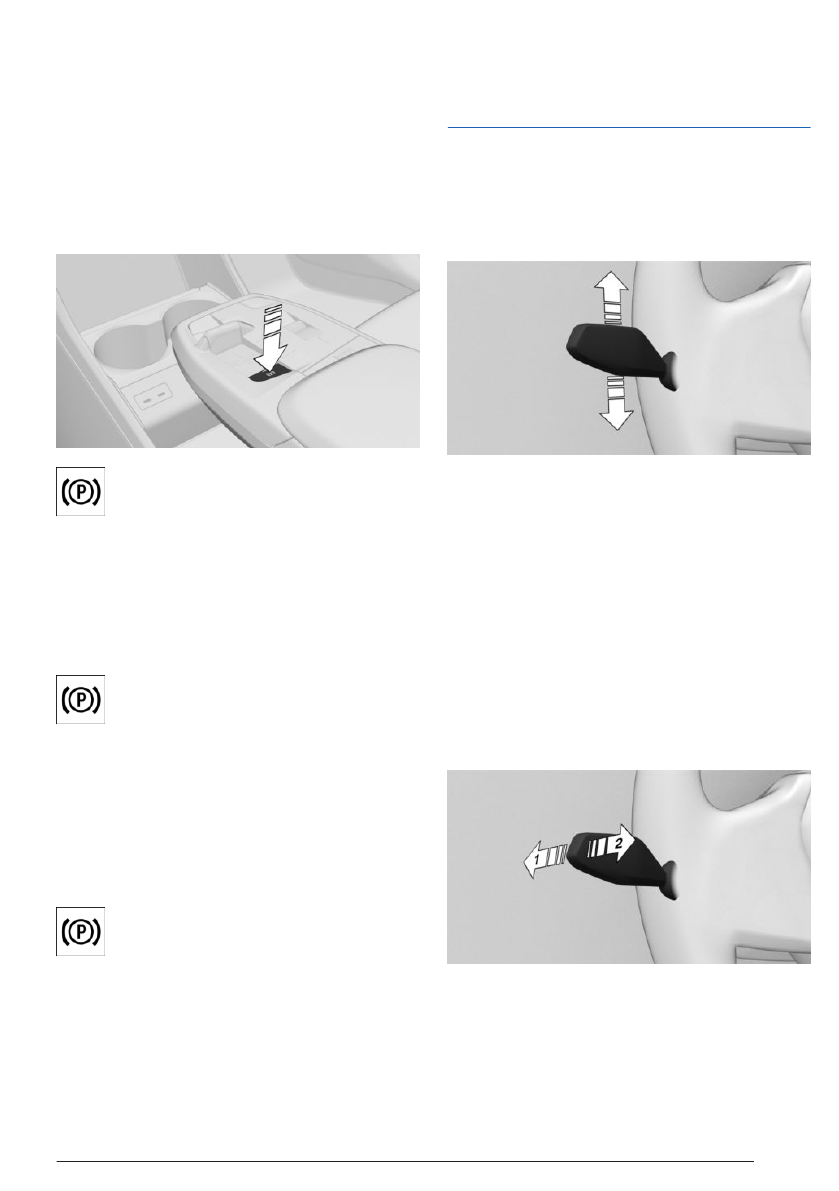
Press the parking brake button on the
center console.
The
parking brake is applied and the
parking lock is engaged.
Parking brake
Setting the parking brake
To engage the parking brake, press
the parking brake button on the center
console.
The LED on the button and the indicator light
in the instrument cluster are
illuminated.
The parking brake is applied and parking lock
is engaged.
Releasing the parking brake
Press the parking brake button with
selector lever position P engaged and
drive-ready state on.
The LED and the indicator
light go out.
The parking brake is released.
Light and view
Turn signal, high-beam headlights,
headlight flasher
Turn signal
▷
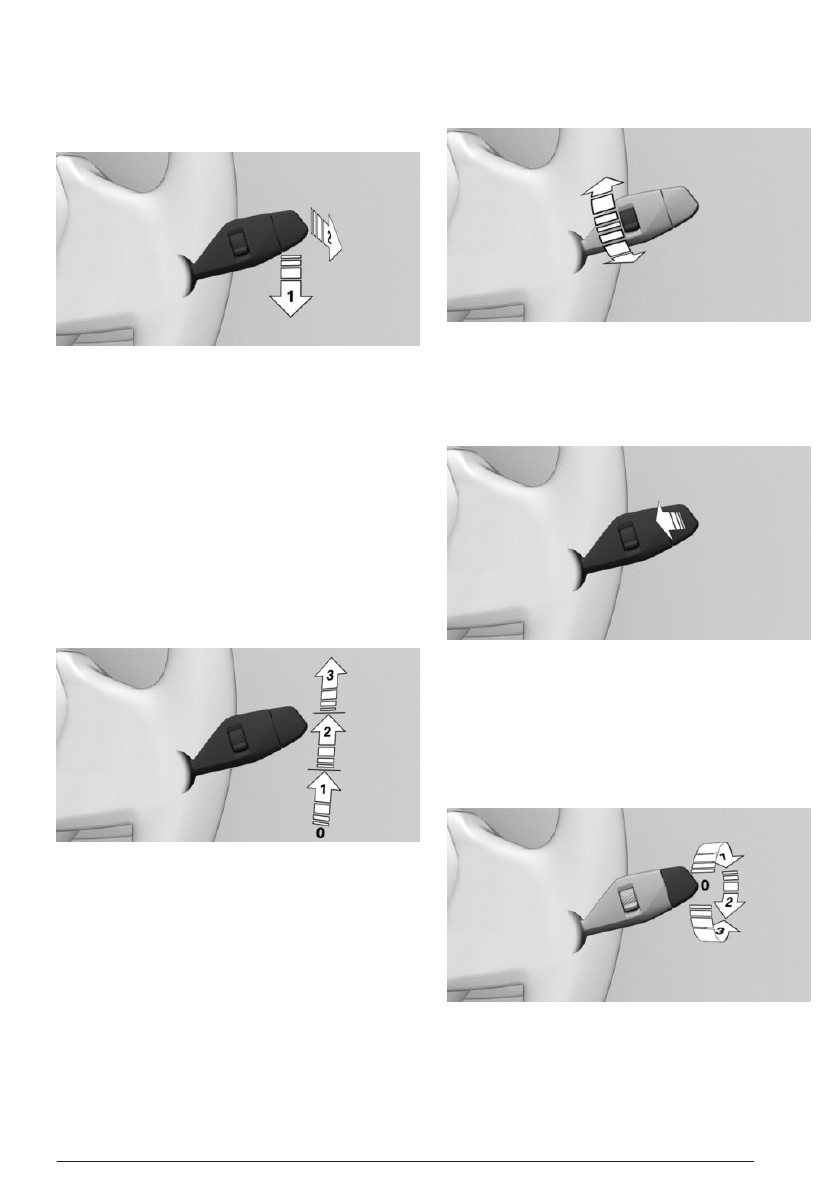
To flash the turn signal, push the turn sig-
nal lever up or down past the resistance
point.
▷
For one-touch signaling: Lightly tap the
turn signal lever up or down.
▷
To flash the turn signal briefly: push the
turn signal lever to the resistance point and
hold it there for as long as you wish to indi-
cate a turn.
High-beam headlights, head-
light flasher
▷
To turn on the high-beam headlights, push
the turn signal lever forward, arrow 1.
On the road
Quick reference
23
Online Edition
Turning off the window wiper system
and flick wipe
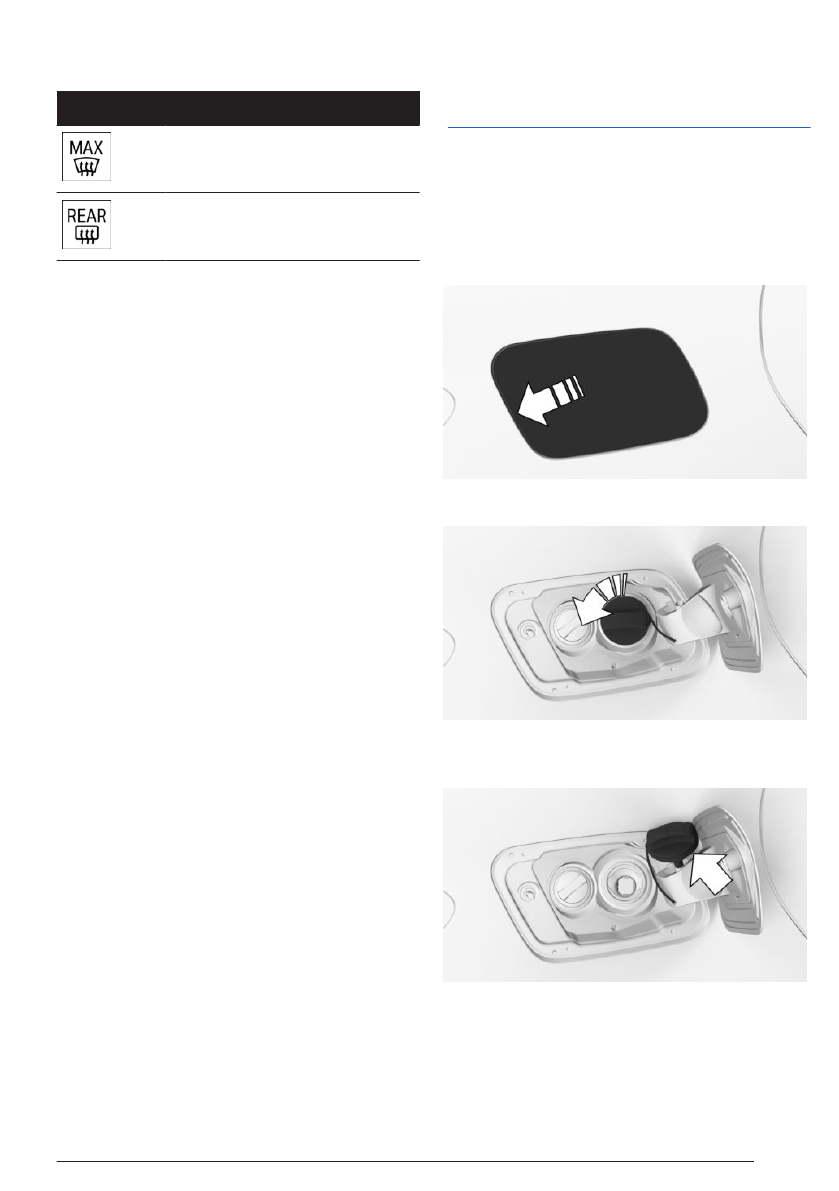
To turn off the wiper system, push the wiper
lever down until it reaches
position 0, arrow 1.
To flick wipe, proceed as follows:
▷
Push the wiper lever down from position 0,
arrow 1.
▷
Push the wiper lever up from position 0 or
position 1, arrow 2.
The wiper lever returns to its initial position
when released.
Activating/deactivating rain sensor
To activate the rain sensor: Push the wiper
lever upward from position 0,
arrow 1, once.
To deactivate the rain sensor: Push the wiper
lever back to position 0.
Adjusting the rain sensor sensitivity
To adjust the sensitivity of the rain sensor, turn
the thumbwheel on the wiper lever.
Cleaning the windshield
To clean the windshield, pull the wiper lever
back.
Rear wiper
Switching on the rear wiper
To turn on the rear wiper, rotate the outer
switch on the wiper lever upward.
On the road
Quick reference
25
Online Edition
Icon
Function
Defrost function.
Rear window defroster.
Intermediate stop
Refueling
Fuel filler cap
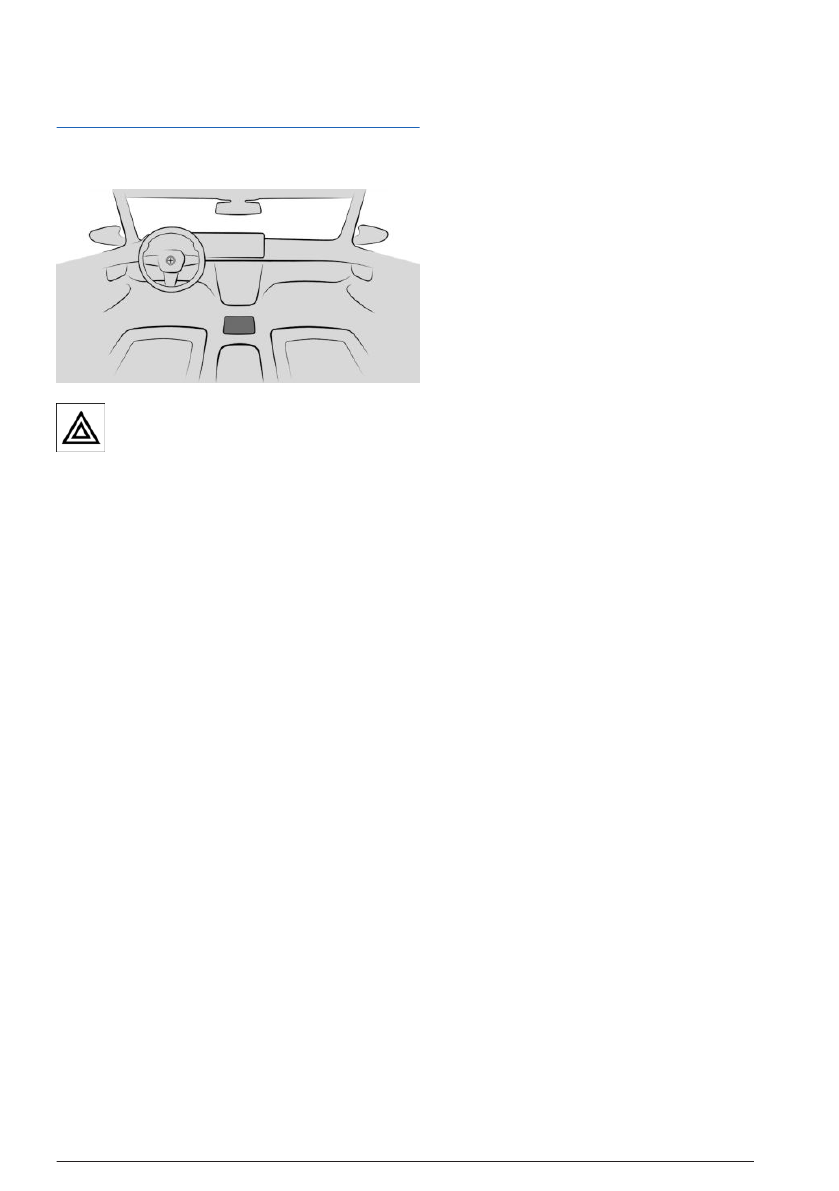
1.
To open the fuel filler flap, press on the rear
edge, arrow. The fuel filler flap opens.
2.
Open the fuel filler cap counterclockwise.
3.
Place the fuel filler cap in the bracket on the
fuel filler flap.
On the road
Quick reference
27
Online Edition
Providing assistance
Hazard warning system
The button for the hazard warning sys-
tem is located on the center console.
BMW Assistance
Contact BMW Assistance for information and
support for all aspects of the vehicle.
1.
Go through the menu as follows: Apps
menu / "All" / "BMW Assist".
2.
Select the desired service, as
necessary.
A voice connection to the selected service is
established.
On the road
Quick reference
29
Online Edition


