


▷
Selector lever is in selector lever position D.
▷
The brake pedal remains depressed while
the vehicle is at a standstill, or the vehicle is
held by Automatic Hold.
▷
The driver's seat belt is buckled, or the driv-
er's door is closed.
Manual engine stop
If the engine does not shut off automatically
when the vehicle is stopped, the engine can be
shut off manually as follows:
▷
By quickly depressing the brake pedal from
its current position.
▷
By engaging selector lever position P.
When all functional preconditions are fulfilled,
the engine switches off.
Air conditioning system when the en-
gine is switched off
The air flow from the air conditioning system is
reduced when the engine is switched off.
Display in the instrument cluster
The READY indicator on the
instrument cluster shows that
the Auto Start/Stop function is
ready to start the engine auto-
matically.
Functional limitations
The engine does not switch off automatically in
situations like the following:
▷
In case of a steep downhill grade.
▷
If the brake pedal is not depressed firmly
enough.
▷
When the outside temperature is high and
the air conditioning system is on.
▷
If the vehicle interior has not been heated
or cooled as desired.
▷
When there is heavy window condensation
and the air conditioning system is on.
▷
If the engine or other parts are not at nor-
mal operating temperature.
▷
If the engine must be cooled.
▷
With a sharp wheel angle or strong steering
on vehicles without mild hybrid technology.
▷
When the vehicle battery is deeply dis-
charged
▷
At higher elevations.
▷
When the hood is unlocked.
▷
When Hill Descent Control is activated.
▷
For stop-and-go traffic.
▷
When the selector lever position is S, L, or
R.
▷
After reversing.
▷
If a traffic situation is detected that is likely
to have a very short stop time, e.g., stop-
ping at a stop sign.
Starting the engine
Functional requirements
When driving off, the engine starts automati-
cally if the following requirements are met:
▷
By releasing the brake pedal.
▷
If the accelerator pedal is pressed when
Automatic Hold is activated.
▷
By the driver assistance systems activated,
depending on vehicle equipment and driv-
ing situation.
Driving off with the Auto Start/Stop
function
To drive off, accelerate normally after starting
the engine.
Safety mode
If one of the following conditions is met, the
engine will not start automatically after it has
been stopped automatically:
Driving
Controls
123
Online Edition

an authorized service center or another quali-
fied service center or repair shop.
Automatic transmission
Principle
The automatic transmission automatically
shifts all gears for driving forward. Shift pad-
dles allow you to shift manually as necessary.
Safety information
WARNING
An unsecured vehicle can begin to move and
possibly roll away. There is a risk of accident,
injury, and property damage. Before leaving
your vehicle, secure it against rolling away,
e.g., by applying the parking brake.
Selector lever positions
Gear position D
In selector lever position D, all gears for for-
ward travel are shifted
automatically.
The vehicle drives off slowly when the brake
pedal is
released.
Additional information:
Automatic Hold, refer to page
With shift paddles: S for SPORT pro-
gram
Selector lever position S is the gear position
used for sportier
driving.
The vehicle drives off slowly when the brake
pedal is released.
R reverse gear
To reverse, engage selector lever position R.
Only engage reverse gear when the vehicle is
stationary.
The vehicle drives off slowly when the brake
pedal is released.
N Neutral
To push the vehicle or have it coast without
using engine power, engage selector lever po-
sition N, e.g., in a car wash.
Without shift paddles: L for LOW mode
In selector lever position L, the transmission
continues to shift automatically, but generally
with lower gears.
The
vehicle drives off slowly when the brake
pedal is released.
Parking lock, P
General information
In selector lever position P, the drive is blocked
by the transmission, e.g., to park the vehicle.
P is engaged automatically
Selector lever position P engages automati-
cally in situations like the following:
▷
After drive-ready state is switched off, if
selector lever position R, D, S, or L is en-
gaged.
▷
After standby state is switched off, if selec-
tor lever position N is engaged.
▷
If the driver's seat belt is unbuckled and the
driver's door is opened while the vehicle is
stationary and selector lever position R, N,
D, S, or L is engaged.
The vehicle may begin to move if selector lever
position P is not engaged and the parking
brake is not applied before
leaving the vehicle.
Additional information:
Parking brake, refer to
page
Driving
Controls
125
Online Edition
5.
Engage selector lever position N.
6.
Switch off drive-ready
state.
In this way, standby state remains switched
on, and a Check Control message is dis-
played.
The vehicle can
roll.
The parking lock engages automatically after
approx. 35 minutes.
If
the system is not operational, you may not
be able to change the
selector lever position.
If necessary, release the parking lock electroni-
cally.
Additional
information:
Releasing the parking lock electronically, refer
to page
Kickdown
The maximum driving performance is achieved
with kickdown.
Step on
the accelerator pedal beyond the re-
sistance point at the full throttle position.
Without shift paddles: LOW mode
Principle
LOW mode is recommended to increase the
engine braking effect, e.g., on steep downhill
gradients.
General information
In LOW mode, the transmission continues
shifting automatically, but generally in lower
gears than in selector lever
position D.
LOW mode can therefore also be used to ac-
celerate more quickly.
Enabling LOW mode
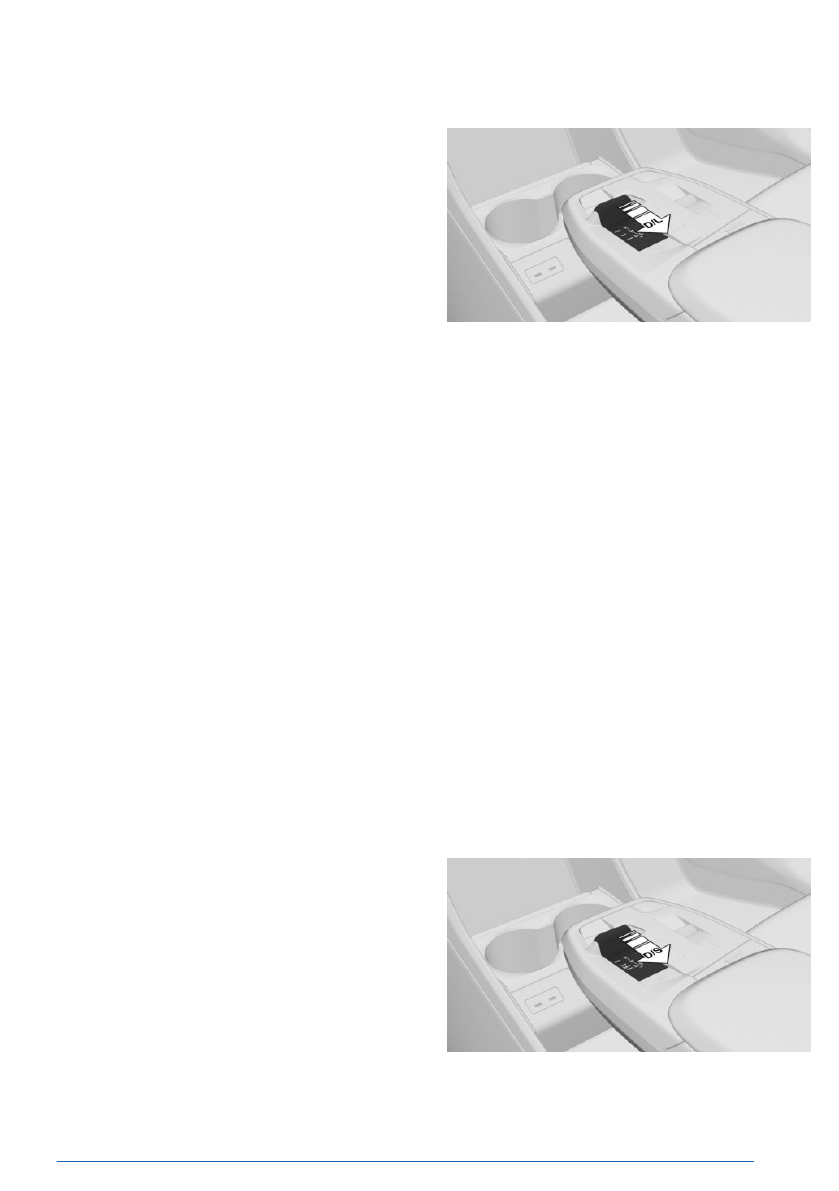
To activate LOW mode, pull the selector lever
from selector lever position
D to D/L.
The engaged gear is displayed in the instru-
ment cluster, for instance
L1.
The transmission's LOW mode is enabled.
Exiting LOW mode
To exit LOW mode, pull the selector lever to
D/L.
D is displayed in
the instrument cluster.
With shift paddles: S program
Principle
The S program's shift points and shift times
are designed for sportier handling. The trans-
mission shifts up later, for example, and the
shift times are shorter, depending on vehicle
equipment.
Activating the Sport program
To activate the Sport program, pull the selector
lever from selector lever position D to D/S.
Driving
Controls
127
Online Edition
▷
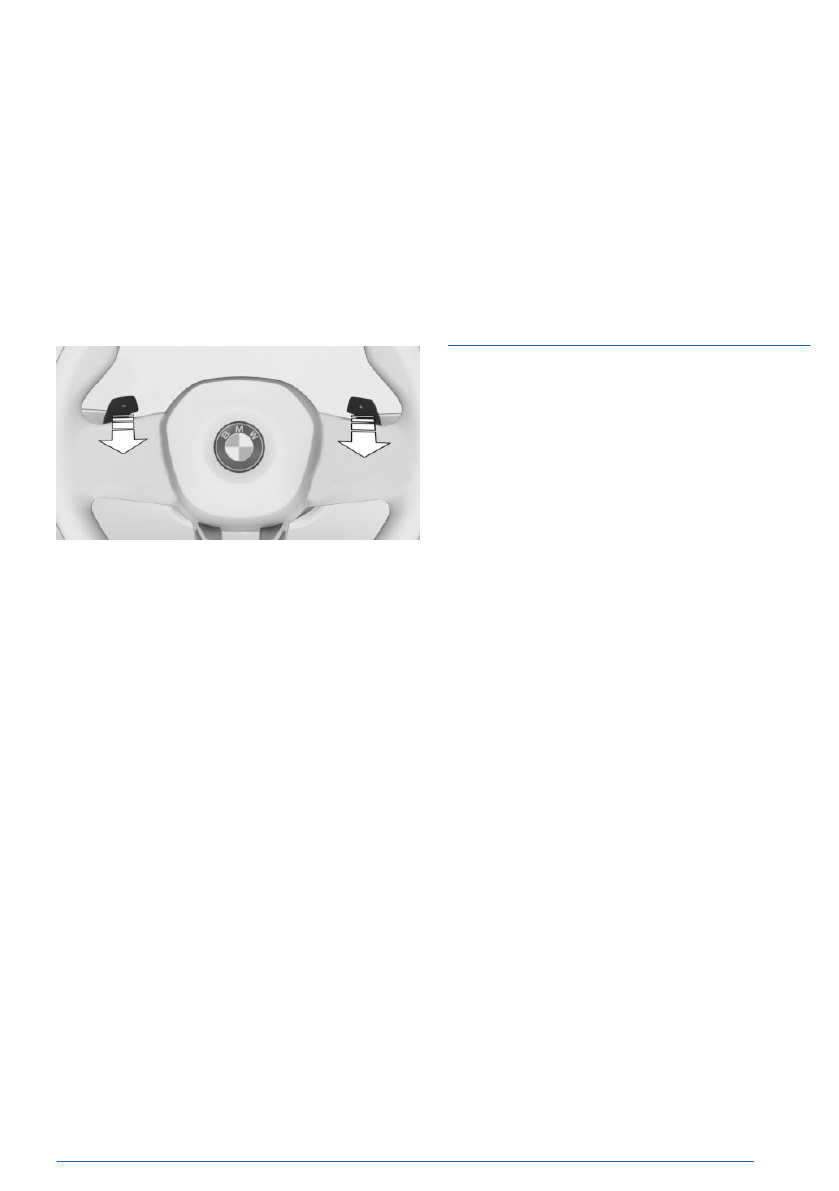
Pull and hold the right shift paddle until S is
displayed on the instrument cluster.
▷
In addition to the pulled right shift paddle,
pull the left shift paddle.
▷
Pull the selector lever to D/S.
If M2 is set manually when the vehicle is sta-
tionary, the transmission no longer shifts down
to M1.
Shifting
▷
To upshift, pull the right shift paddle.
▷
To downshift, pull the left shift paddle.
The selected gear is shown briefly on the
instrument cluster, then the current gear is
shown again.
Advanced mode
General information
Depending on vehicle equipment, the auto-
matic transmission offers an advanced mode
with adapted shift characteristics.
▷
This avoids automatic downshifting to the
lowest possible gear.
In
manual mode, the automatic transmis-
sion does not shift to the lowest possible
gear during kickdown.
▷
Automatic upshifting is prevented in
manual mode.
In manual
mode, the automatic transmis-
sion does not shift up automatically when
reaching a rev limit.
Enabling advanced mode
Advanced mode turns on in the following sit-
uations, for example:
▷
The transmission is in manual mode.
▷
"SPORT PLUS": Settings for drive system
in Sport Mode from My Modes.
Steptronic Sport transmis-
sion: Launch Control
Principle
Launch Control ensures optimum acceleration
on roads with good traction and with dry ambi-
ent conditions.
General information
Using Launch Control causes premature com-
ponent wear since this function represents a
very heavy load for the
vehicle.
Depending on vehicle equipment, increased
drive power is provided when driving off with
Launch Control.
Do not
turn the steering wheel when driving off
with Launch Control.
Do
not use Launch Control when breaking in
the vehicle.
Additional
information:
Break-in, refer to page
Functional requirement
Launch Control can be used when the engine
is at operating temperature. The engine is at
operating temperature after an uninterrupted
trip of at least 6 miles/10 km.
Driving off with Launch Control
To drive off with Launch Control, proceed as
follows:
1.
Switch on drive-ready state.
2.
Engage forward gear.
Driving
Controls
129
Online Edition
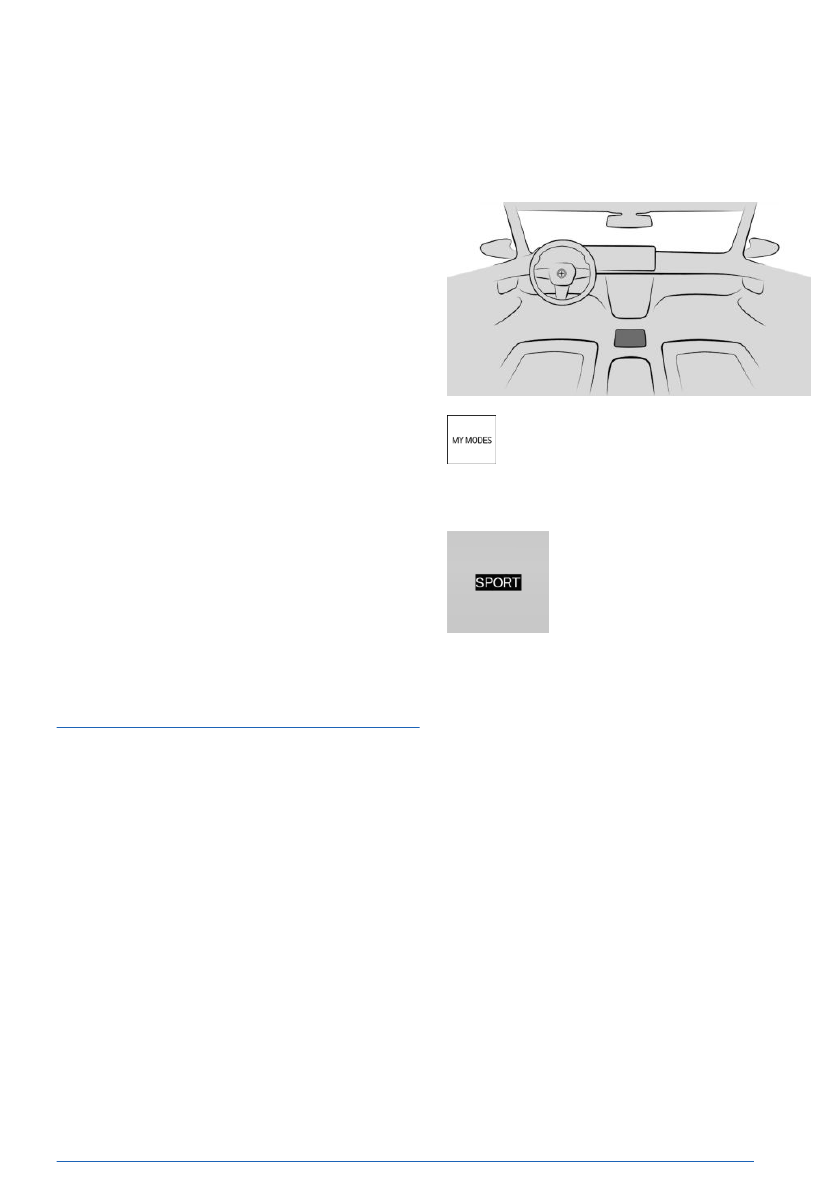
Using the Sport Boost function
1.
Pull the left shift paddle until the following
indicator appears on the instrument cluster,
arrow 1: SPORT BOOST. A countdown is
displayed, arrow 2.
2.
Before the countdown changes to 0, press
the accelerator pedal.
▷
The vehicle accelerates.
▷
BOOST: this display is shown on the in-
strument cluster, arrow 3.
The countdown can be restarted, for example
if the function cannot be
used immediately.
To restart the countdown, pull and hold the left
shift paddle again until the countdown is reset.
Stopping the function
The Sport Boost function stops automatically
once the countdown has reached 0 or if the
function was used for acceleration.
Deactivating the function
Pull and hold the right shift paddle until the fol-
lowing indicator disappears: SPORT BOOST.
My Modes
Principle
My Modes are used to adjust vehicle handling
and customize the overall experience in the
interior.
The vehicle
can be adapted depending on the
situation using the various
My Modes.
Depending on vehicle equipment, the following
systems are affected, for example:
▷
Drive system.
▷
Steering.
▷
Suspension.
▷
Cruise Control.
▷
Display on the instrument cluster.
▷
Comfort functions in vehicle interior.
▷
BMW IconicSounds.
Overview
My Modes button on the center con-
sole.
Displays in the instrument cluster
If applicable, the driving mode
selected is displayed on the in-
strument cluster.
My Modes in detail
General information
Various My Modes are available depending on
vehicle equipment.
Some
My Modes affect the vehicle’s handling
characteristics and are therefore also referred
to as drive modes.
Personal Mode
Personal Mode is a drive mode that provides
comfort-related settings.
Sport Mode
Sport Mode is a drive mode that provides in-
creased vehicle
agility.
Individual settings, e.g., for the driving dynam-
ics, chassis, and drive system, can be config-
ured as needed.
Driving
Controls
131
Online Edition
Safety information
WARNING
An unsecured vehicle can begin to move and
possibly roll away. There is a risk of accident,
injury, and property damage. Before leaving
the vehicle, secure the vehicle against rolling
away.
In order to ensure
that the vehicle is secured
against rolling away, follow the following:
▷ Set the parking
brake.
▷ Make sure that selector lever position P
is engaged.
▷ On uphill grades or on downhill slopes,
turn the front wheels in the direction of
the curb.
▷ On uphill grades or on downhill slopes,
also secure the vehicle, for instance with
a wheel chock.
WARNING
Unattended children or animals in the vehicle
can cause the vehicle to move and endanger
themselves and traffic, for example, due to
the following actions:
▷ Establishing
standby.
▷ Releasing the parking brake.
▷ Opening and closing the doors or win-
dows.
▷ Engaging selector
lever position N.
▷ Using vehicle equipment.
There is a risk of accident, injury, and prop-
erty damage. Do not leave children or ani-
mals unattended in the vehicle. Take the ve-
hicle key with you when exiting and lock the
vehicle.
Overview
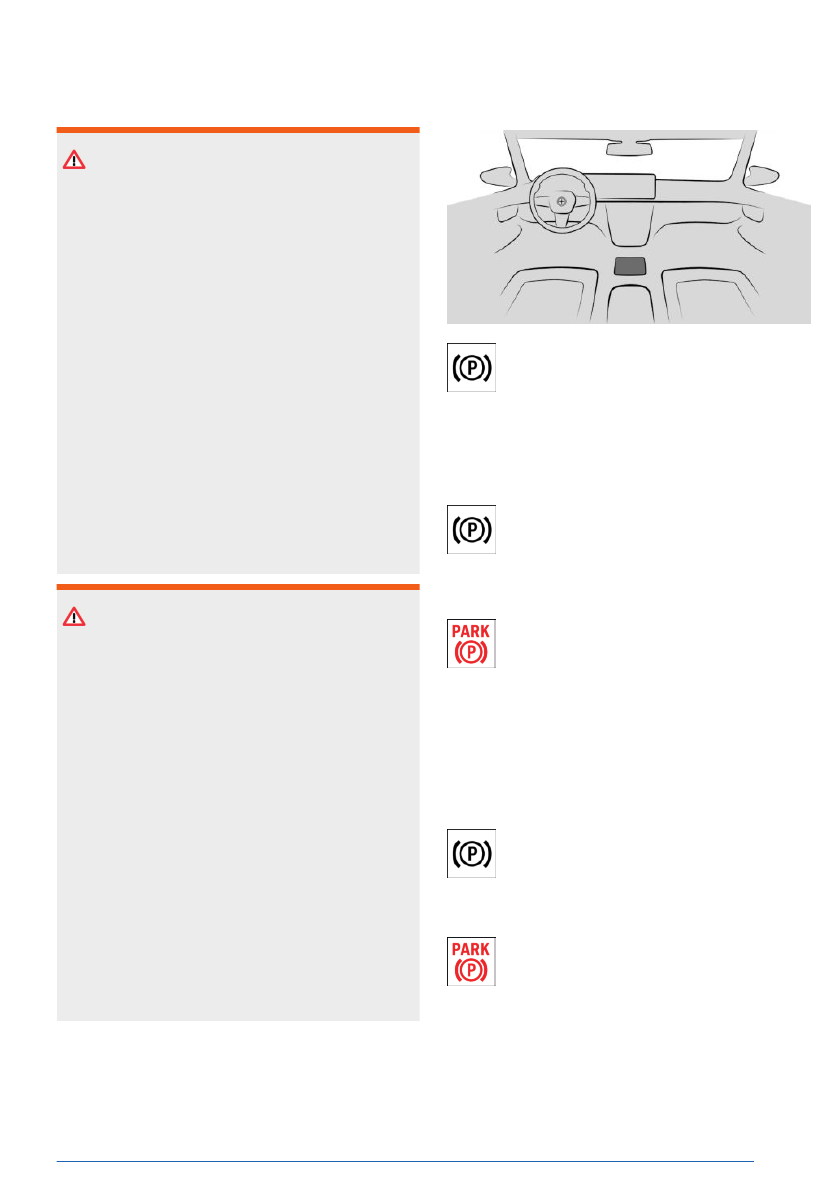
The parking brake button is located on
the center console.
Setting the parking brake
With a stationary vehicle
To engage the parking brake, press
the parking brake button on the center
console.
The LED illuminates.
The indicator light for the parking brake
illuminates red.
The
parking brake is applied and park-
ing lock is engaged.
While driving
Using the parking brake while driving serves as
emergency braking.
To brake the vehicle, press and hold
the parking brake button on the center
console. The vehicle brakes hard for as
long as the button is pressed.
The indicator light for the parking brake
illuminates red, a signal sounds, and
the brake lights illuminate.
A Check Control message is displayed.
The parking brake is applied and the parking
lock engaged when the vehicle is stationary.
Driving
Controls
133
Online Edition
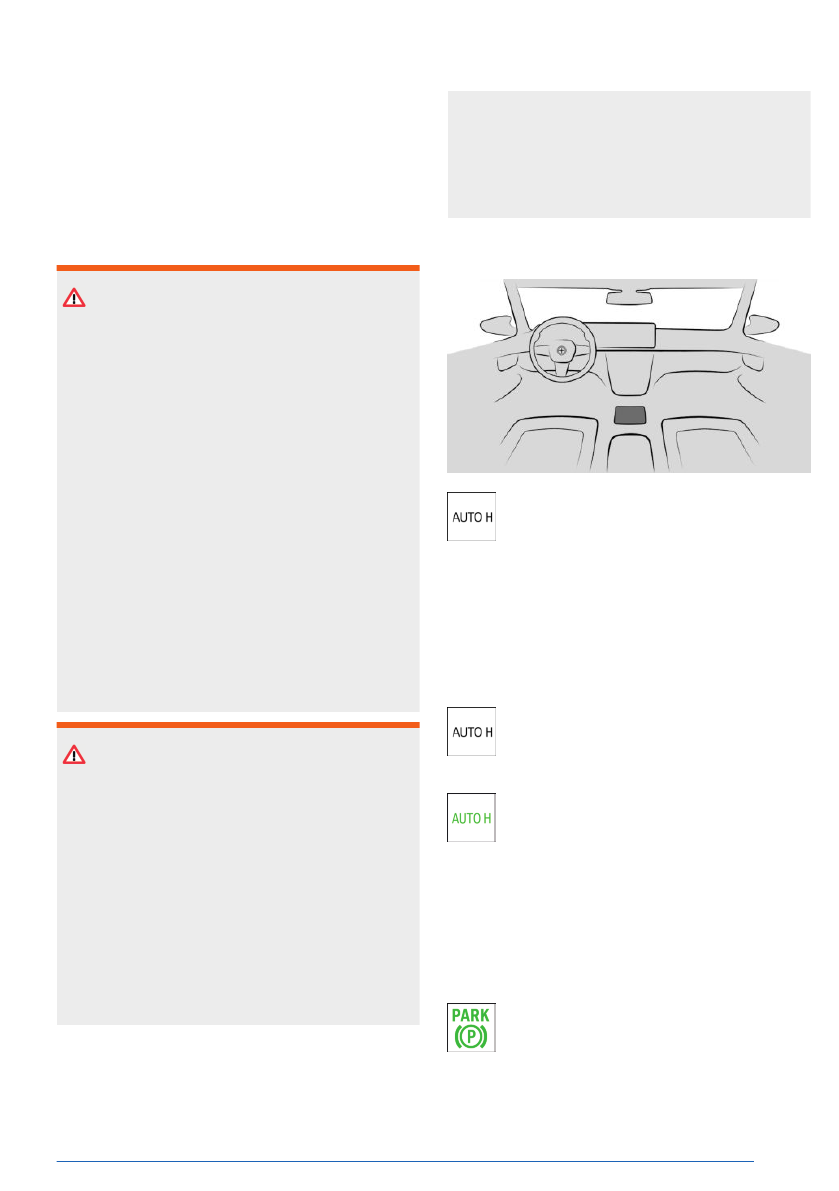
When a gear position is engaged, the vehicle
is automatically held in place when it is station-
ary.
In selector lever
position N, Automatic Hold is
temporarily deactivated.
Safety information
WARNING
An unsecured vehicle can begin to move and
possibly roll away. There is a risk of accident,
injury, and property damage. Before leaving
the vehicle, secure the vehicle against rolling
away.
In order to ensure
that the vehicle is secured
against rolling away, follow the following:
▷ Set the parking
brake.
▷ Make sure that selector lever position P
is engaged.
▷ On uphill grades or on downhill slopes,
turn the front wheels in the direction of
the curb.
▷ On uphill grades or on downhill slopes,
also secure the vehicle, for instance with
a wheel chock.
WARNING
Unattended children or animals in the vehicle
can cause the vehicle to move and endanger
themselves and traffic, for example, due to
the following actions:
▷ Establishing
standby.
▷ Releasing the parking brake.
▷ Opening and closing the doors or win-
dows.
▷ Engaging selector
lever position N.
▷ Using vehicle equipment.
There is a risk of accident, injury, and prop-
erty damage. Do not leave children or ani-
mals unattended in the vehicle. Take the ve-
hicle key with you when exiting and lock the
vehicle.
Overview
The Automatic Hold button is located
on the center console.
Functional requirements
Drive-ready state must be turned on in order to
activate/deactivate Automatic Hold.
Activating Automatic Hold
To activate Automatic Hold, press the
Automatic Hold button on the center
console. The LED illuminates.
The indicator light for Automatic Hold
illuminates green.
Automatic Hold holding the vehicle
If Automatic Hold is activated and the driver’s
door is closed, the vehicle is automatically se-
cured to prevent it from rolling away after stop-
ping.
As soon as Automatic Hold secures the
vehicle to prevent it from rolling away,
the indicator light for the parking brake
illuminates green.
Driving
Controls
135
Online Edition


