

POWER WINDOWS
WARNING:
Do not leave children
or pets unattended in your vehicle.
Failure to follow this instruction could
result in personal injury or death.
WARNING:
When closing the
power windows, verify they are free of
obstruction and make sure that children
and pets are not in the proximity of the
window openings.
Note:
If you operate the switches often
during a short period of time the system
might become inoperable for a certain time
to prevent damage due to overheating.
Note:
If you operate both the switch on the
relevant door and the switch for that
window on the driver ’s door at the same
time, the window stops moving.
Note:
You may hear a pulsing noise when
you open just one of the windows. Lower
the opposite window slightly to reduce this
noise.
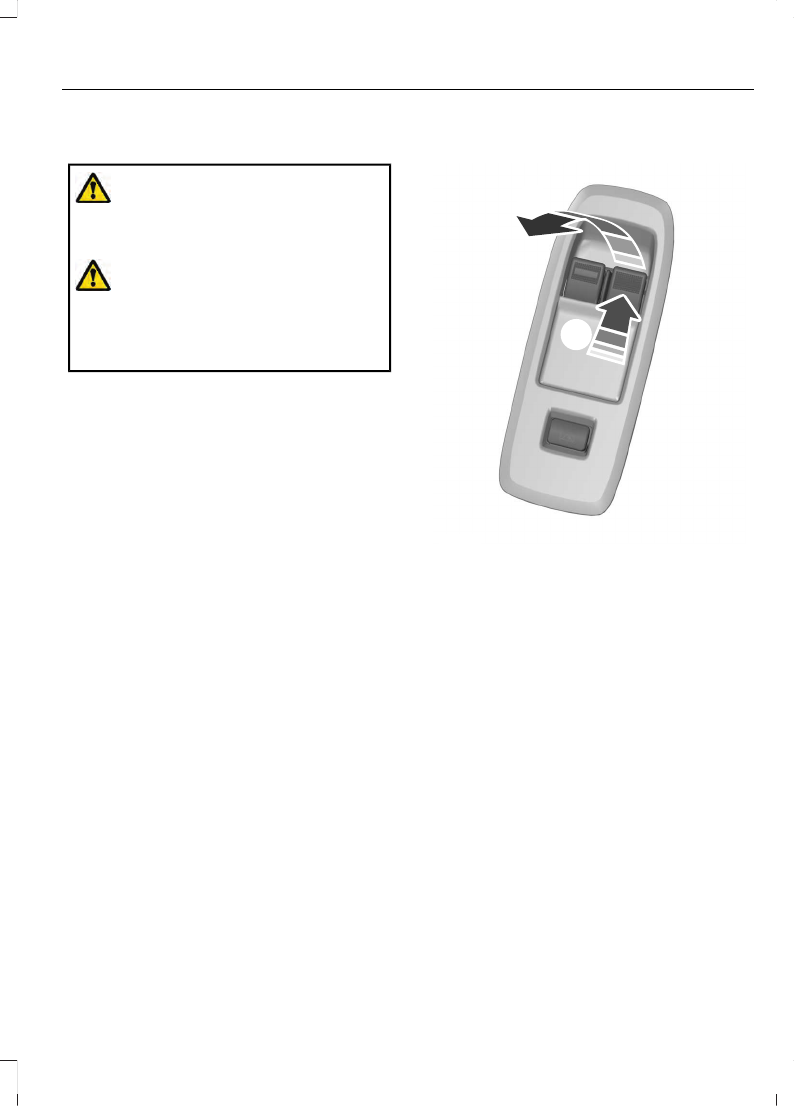
Driver Door Switches (Single Cab)
A
B
E131469
Press the switch to open the
window.
A
Lift the switch to close the
window.
B
83
Windows and Mirrors
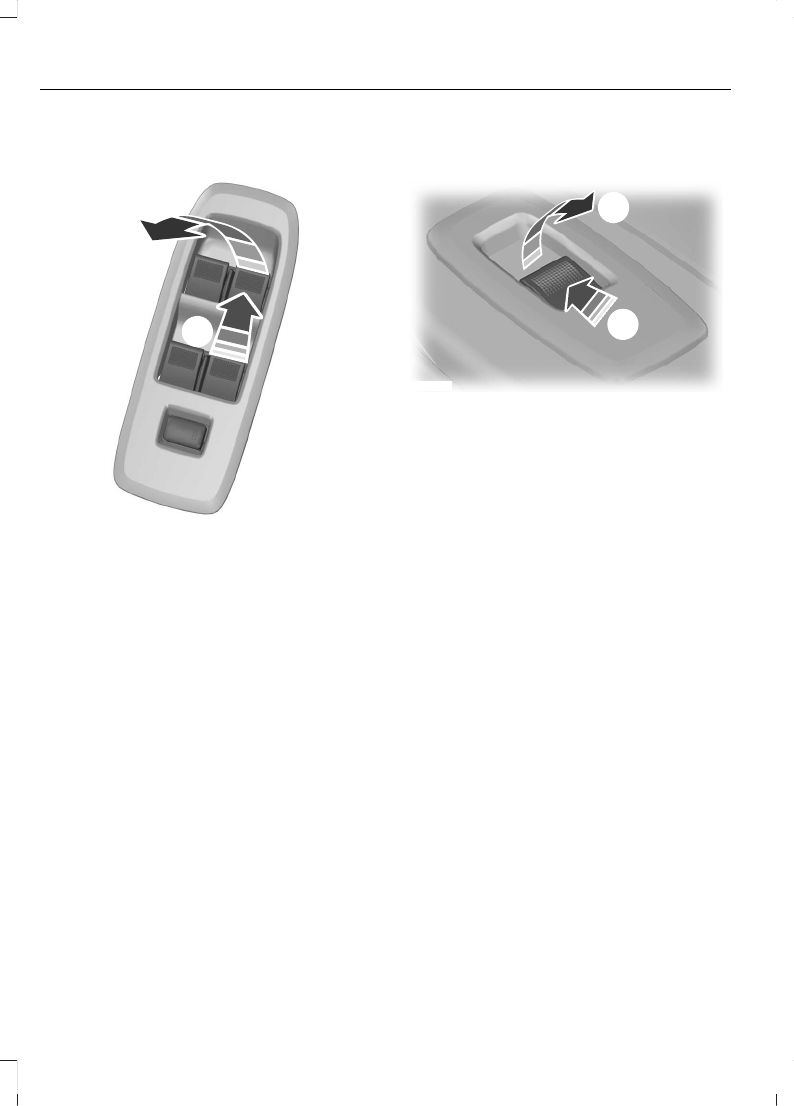
Driver Door Switches (Double Cab)
A
B
E131466
Press the switch to open the
window.
A
Lift the switch to close the
window.
B
Front and Rear Passenger Door
Switches
A
B
E131467
Press the switch to open the
window.
A
Lift the switch to close the
window.
B
Opening and Closing the Driver
Side Window Automatically
Press or lift the switch to the second action
point and release it.
Press again or lift it to stop the window.
Opening and Closing Other
Windows Automatically
(If Equipped)
Press or lift the switch to the second action
point and release it.
Press again or lift it to stop the window.
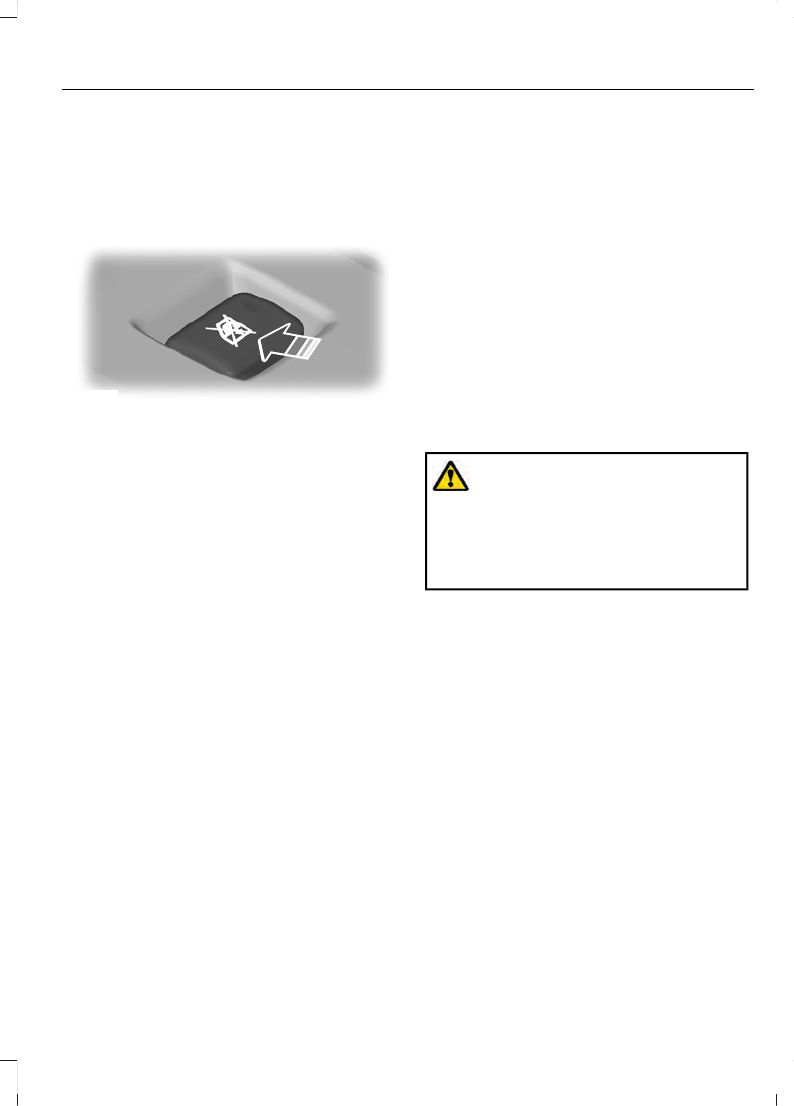
Safety Switch for the Rear
Windows
Note:
Once you press the safety switch, you
can still operate the rear windows and front
passenger window from the driver door if
you have global opening and closing.
84
Windows and Mirrors
Note:
In vehicles without global opening
and closing, you cannot operate the rear
windows from driver side when you press
the safety switch. In certain vehicles, you
cannot operate front passenger windows
as well.
E131468
Press the control to lock or unlock the rear
window controls.
Resetting the Memory of the
Electric Windows - Vehicle with
One Touch Up/Down on Driver
Side only
Note:
The bounce back feature remains
turned off until you reset the memory.
In the event of a flat battery or after the
battery is disconnected from the vehicle,
you must reset the memory for the driver
window.
1.
Open the window and then try to close
it using the one-touch feature.
2. Lift and hold the switch to the second
action point until you fully close the
window.
3. Lift and hold the switch for more than
two seconds and release.
4. Open the window using the first action
point and try to close it automatically
using the second action point.
5. If the window does not open or close
automatically when you press the
switch or lift it to the second action
point, repeat the procedure.
Safety Mode
Note:
The anti-trap function is not active
during this procedure.
If the system detects a malfunction, it
enters a safety mode. The windows move
a little at a time and then stop again. Close
the windows by pressing the switch again
when the windows stop moving.
Contact an authorized dealer.
Bounce-Back
The window automatically stops and
reverses some distance if it detects an
obstacle when closing.
Overriding the Bounce-Back Feature
WARNING:
If you override
bounce-back, the window does not
reverse if it detects an obstacle. Take
care when closing the windows to avoid
personal injury or damage to your
vehicle.
Proceed as follows to override this
protection feature when there is a
resistance, for example in winter:
1.
Close the window twice until it reaches
the point of resistance and let it
reverse.
2. Close the window a third time to the
point of resistance. The bounce-back
feature is now disabled and you can
close the window manually. The
window will go past the point of
resistance and you can close it fully.
See an authorized dealer as soon as
possible if the window does not close after
the third attempt.
Resetting the Bounce-Back Feature
Note:
The bounce-back feature remains
turned off until you reset the memory.
85
Windows and Mirrors
If you disconnect the battery, you must
reset the bounce-back memory separately
for each window.
1.
Lift and hold the switch until you fully
close the window.
2. Release the switch.
3. Lift the switch again for one second.
4. Press and hold the switch until you fully
close the window.
5. Release the switch.
6. Lift and hold the switch until you fully
close the window.
7.
Open the window and then try to close
it automatically.
8. Reset and repeat the procedure if the
window does not close automatically.
EXTERIOR MIRRORS
Power Exterior Mirrors
(If Equipped)
WARNING:
Do not adjust the
mirrors when your vehicle is moving. This
could result in the loss of control of your
vehicle, serious personal injury or death.
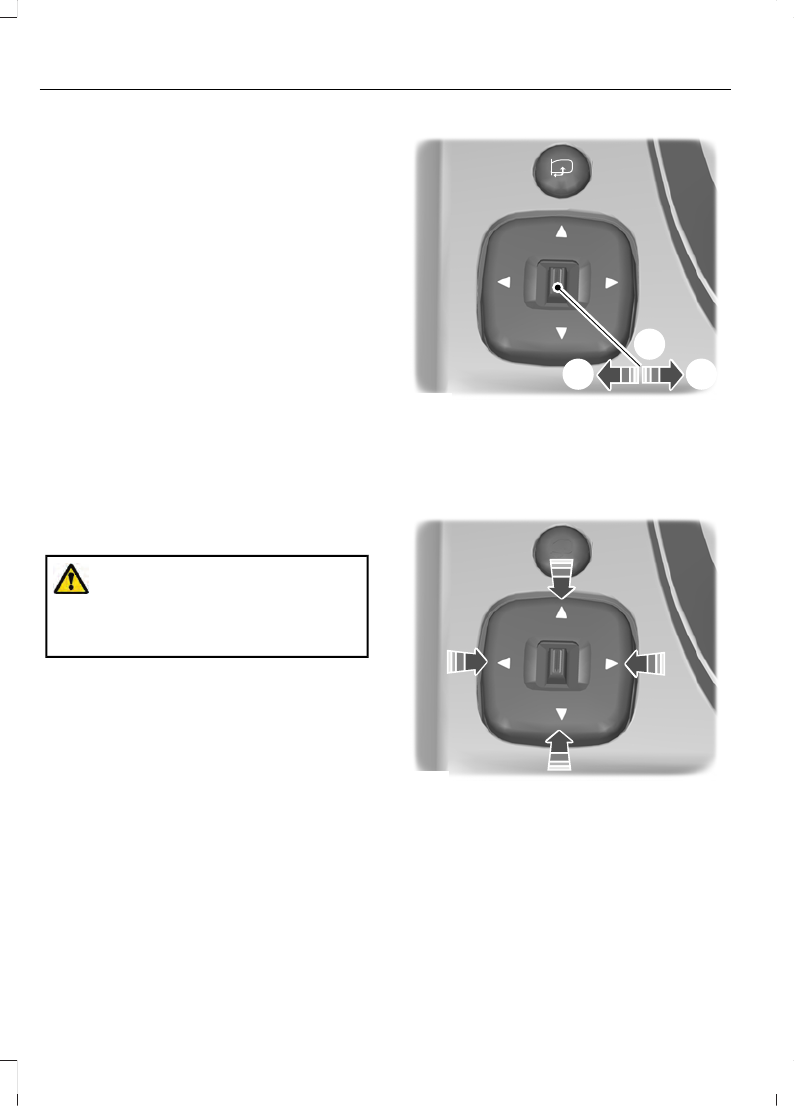
E131480
A
B
C
Left-hand side.
A
Off.
B
Right-hand side.
C
E131481
Press the arrows to adjust the mirror.
Fold Away Exterior Mirrors
Push the mirror toward the door window
glass.
Make sure that you fully engage the mirror
in its support when returning it to its
original position.
86
Windows and Mirrors
Power-Folding Mirrors
(If Equipped)
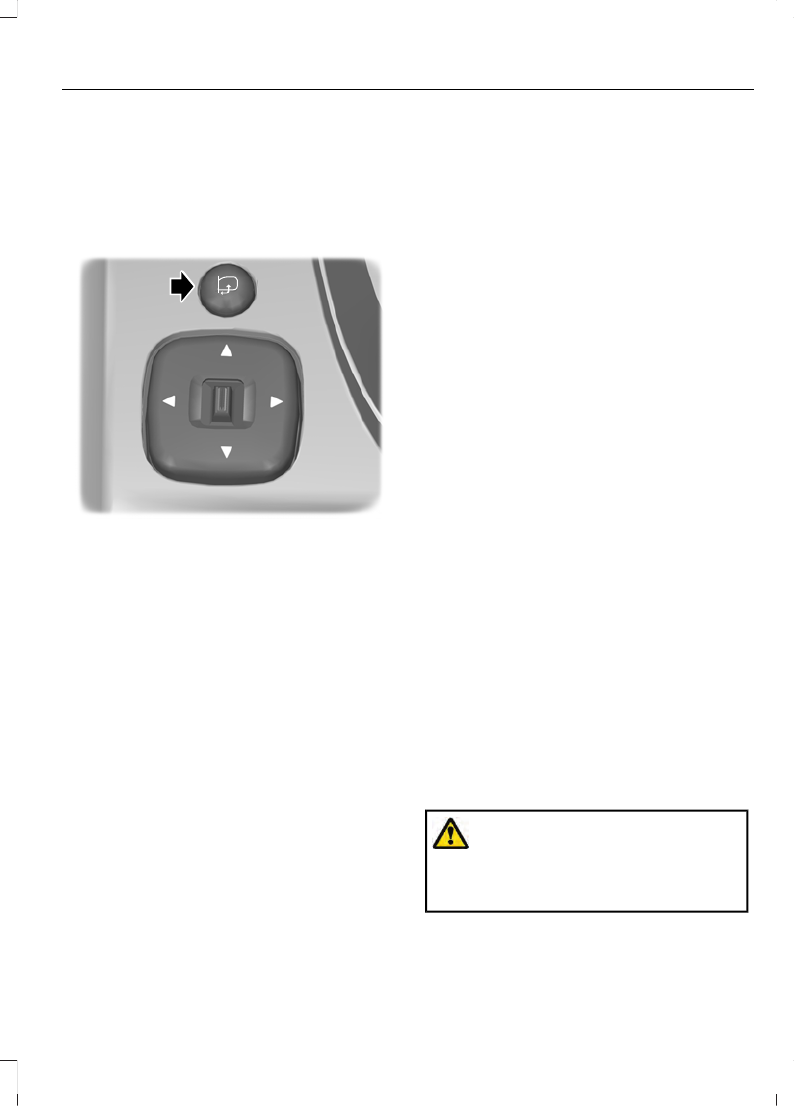
The power folding mirrors operate with the
ignition on.
Note:
The mirrors no longer operate if you
switch the ignition off.
E131482
Press the button to fold the mirrors inward.
Release the button to stop and reverse the
direction of movement, or to fold the
mirrors outward.
Loose Mirror
If you manually fold your power-folding
mirrors, they may not work properly even
after you re-position them. You need to
reset them if:
•
The mirrors vibrate when you drive.
•
The mirrors feel loose.
•
The mirrors do not stay in the folded or
unfolded position.
•
One of the mirrors is not in its normal
driving position.
To reset the power-fold feature:
1.
Push the mirrors fully forward.
2. Press the mirror folding switch and
guide the mirror to detent point, you
will hear a click at this point.
3. Let the mirror fold toward your vehicle
on its own.
4. Verify by pressing the mirror folding
switch to fold mirrors inward and back
out 2 or 3 times.
Note:
You may hear a loud noise as you
reset the power-folding mirrors. This sound
is normal. Repeat this process as needed
each time you manually fold the mirrors.
Heated Exterior Mirrors
(If Equipped)
The heated exterior mirrors will remove
ice, mist and fog. See
Signal Indicator Mirrors
(If Equipped)
The outer portion of the appropriate mirror
housing blinks when you switch on the
direction indicator.
Puddle L amps
(If Equipped)
The lamps on the bottom part of the mirror
housing light when you use your
transmitter to unlock the doors or when
you open a door.
Blind Spot Information System
(If
Equipped)
INTERIOR MIRROR
Manual Dimming Mirror
WARNING:
Do not adjust the
mirrors when your vehicle is moving. This
could result in the loss of control of your
vehicle, serious personal injury or death.
87
Windows and Mirrors
Pull the tab below the mirror toward you
to reduce the effect of bright light from
behind.
Automatic Dimming Mirror
(If Equipped)
WARNING:
Do not adjust the
mirrors when your vehicle is moving. This
could result in the loss of control of your
vehicle, serious personal injury or death.
The mirror dims to reduce the effect of
bright light from behind. It returns to
normal when the bright light from behind
is no longer present or if you shift into
reverse (R).
Do not block the sensors on the front and
back of the mirror.
Note:
A rear center passenger or raised rear
center head restraint could prevent light
from reaching the sensor.
SUN VISORS
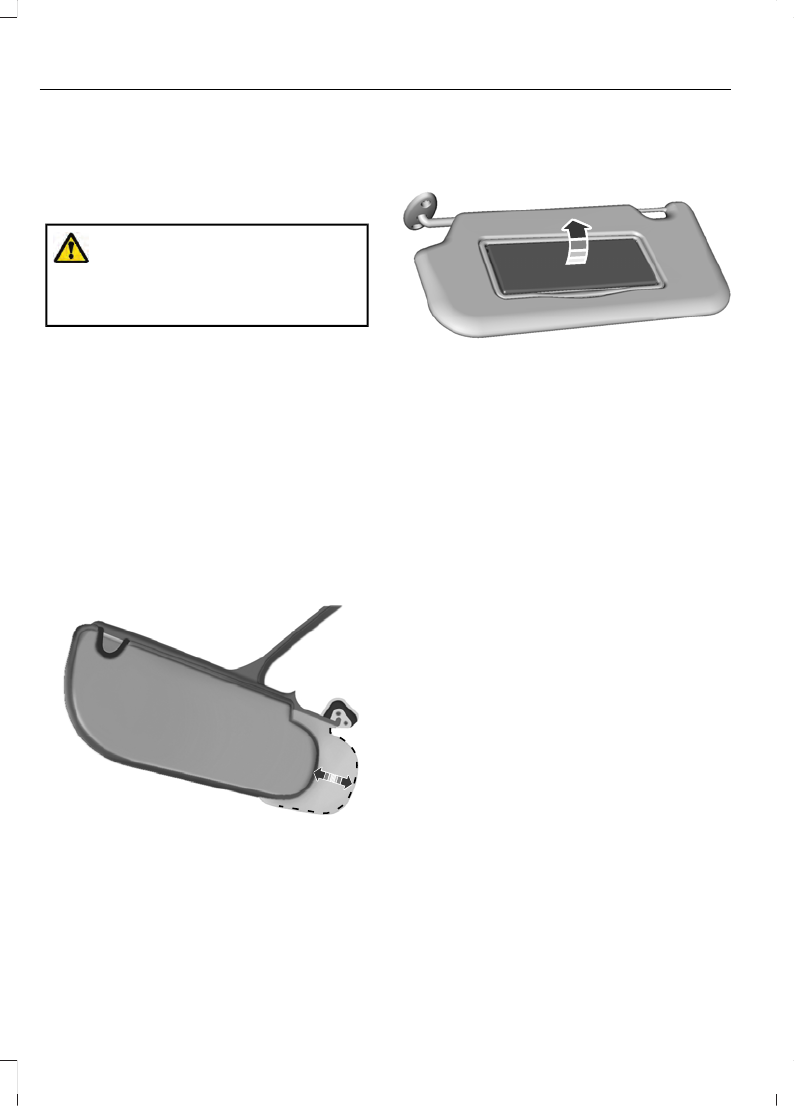
E138666
Rotate the sun visor toward the side
window and extend it rearward for extra
shade.
Illuminated Vanity Mirror
(If Equipped)
E162197
Lift the cover to switch the lamp on.
88
Windows and Mirrors


