

GENERAL INFORMATION
Condensation in the Exterior Front
Lamps and Rear L amps
Exterior front lamps and rear lamps have
vents to accommodate normal changes
in air pressure.
Condensation can be a natural by-product
of this design. When moist air enters the
lamp assembly through the vents, there is
a possibility that condensation can occur
when the temperature is cold. When
normal condensation occurs, a fine mist
can form on the interior of the lens. The
fine mist eventually clears and exits
through the vents during normal operation.
Clearing time may take as long as 48 hours
under dry weather conditions.
Examples of acceptable condensation are:
•
The presence of a fine mist (no streaks,
drip marks or large droplets).
•
A fine mist covers less than 50% of the
lens.
Examples of unacceptable condensation
are:
•
A water puddle inside the lamp.
•
Streaks, drip marks or large droplets
present on the interior of the lens.
If you see any unacceptable condensation,
have your vehicle checked by an authorized
dealer.
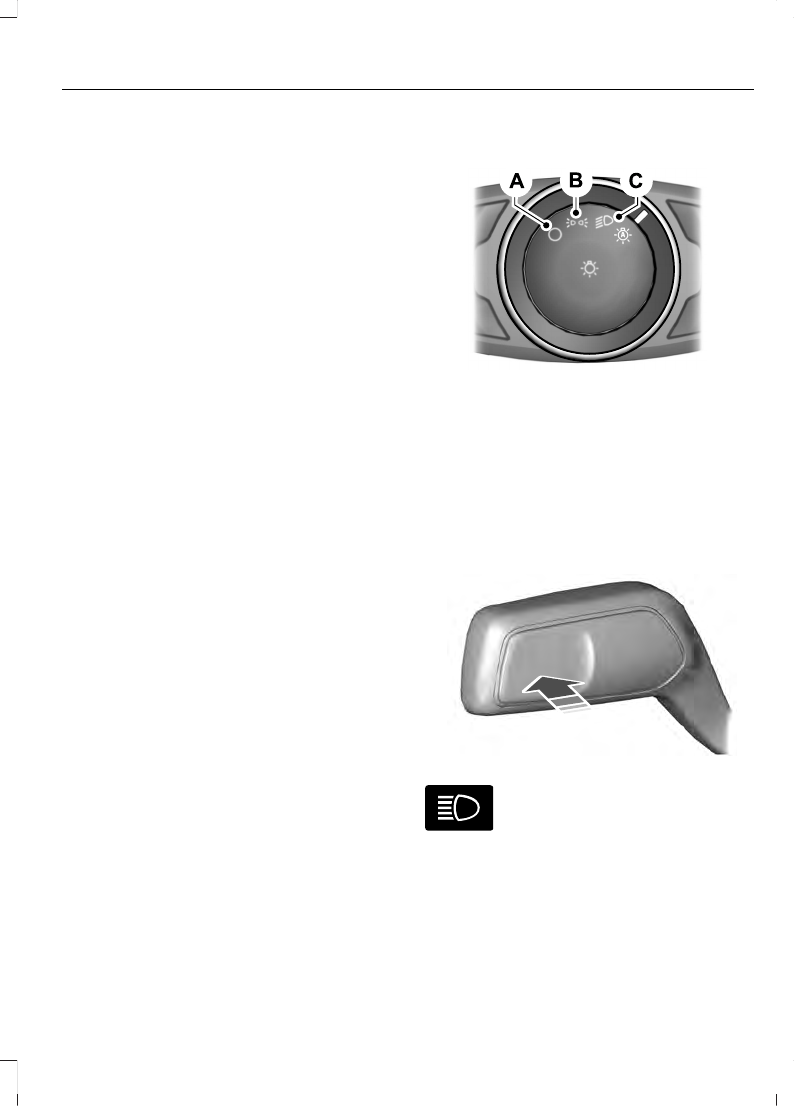
LIGHTING CONTROL
E142449
Lamps off.
A
Parking lamps, instrument panel
lamps, license plate lamps and
tail lamps.
B
Headlamps.
C
Headlamp High Beam
E242674
Push the lever away from you to
switch the high beam on.
Push the lever forward again or pull the
lever toward you to switch the high beams
off.
77
Lighting
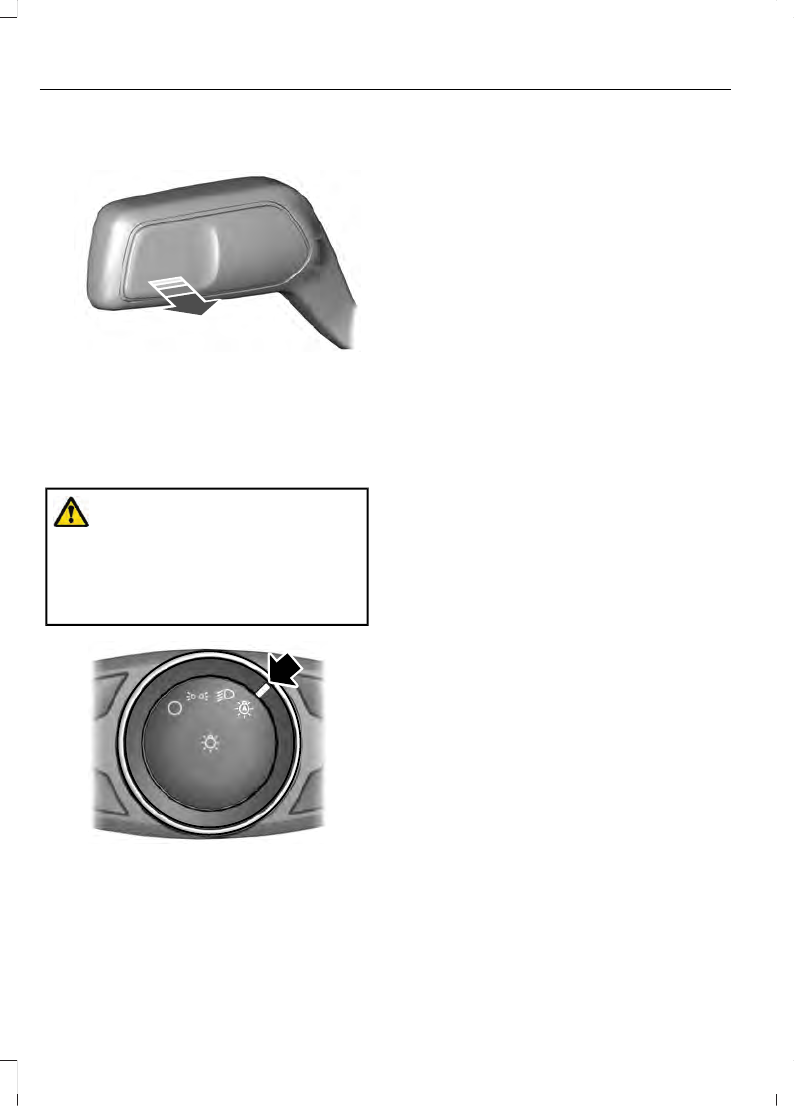
Flashing the Headlamp High Beam
E242675
Slightly pull the lever toward you and
release it to flash the headlamps.
AUTOLAMPS
WARNING:
The system does not
relieve you of your responsibility to drive
with due care and attention. You may
need to override the system if it does not
turn the headlamps on in low visibility
conditions, for example daytime fog.
E142451
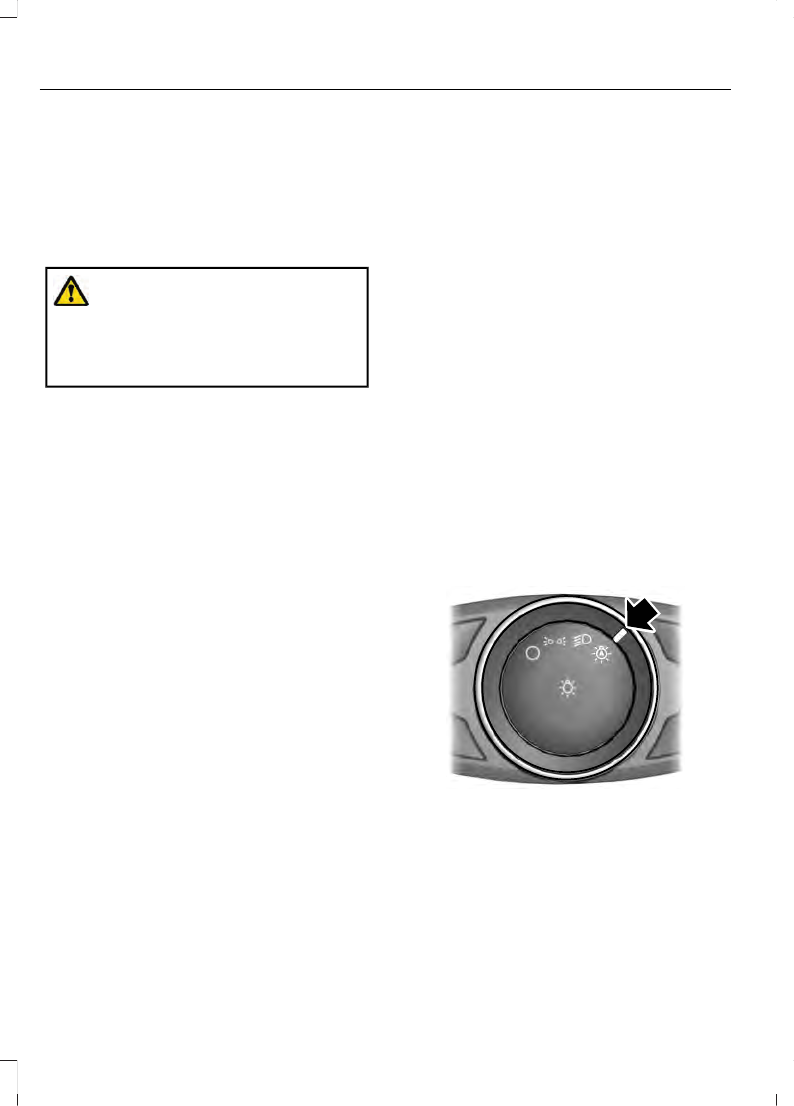
When the lighting control is in the
autolamps position, the headlamps turn
on in low light situations, or when the
wipers turn on.
The headlamps remain on for a period of
time after you switch the ignition off. Use
the information display controls to adjust
the period of time that the headlamps
remain on.
Note:
If you switch the autolamps on, you
cannot switch the high beams on until the
system turns the low beams on.
Windshield Wiper Activated
Headlamps
When you switch the autolamps on, the
headlamps turn on within 10 seconds of
switching the wipers on. They turn off
approximately 60 seconds after you switch
the windshield wipers off.
The headlamps do not turn on with the
wipers:
•
During a single wipe.
•
When using the windshield washers.
•
If the wipers are in intermittent mode.
Note:
If you switch the autolamps and the
autowipers on, the headlamps turn on when
the windshield wipers continuously operate.
INSTRUMENT LIGHTING
DIMMER
Note:
When disconnecting the battery or
when it runs out of charge, the illuminated
components turn to the maximum setting.
78
Lighting
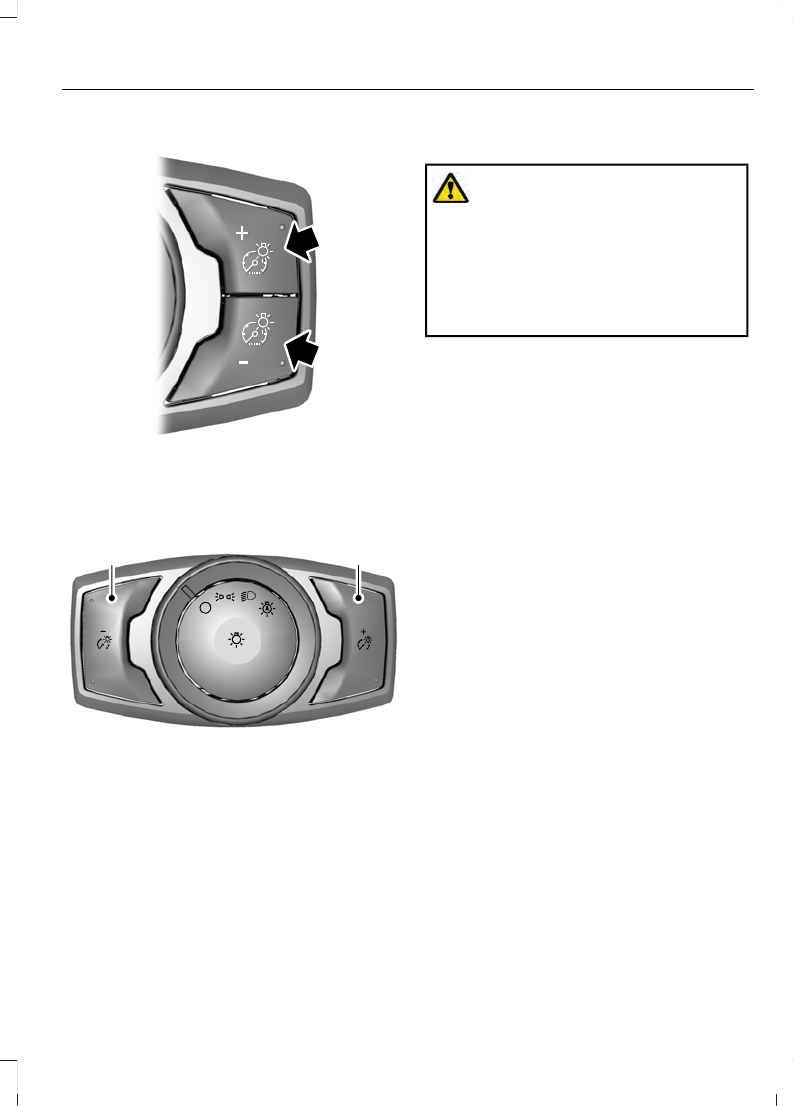
Vehicles With Front Fog L amps
E231828
Press repeatedly or press and hold until
you reach the desired level.
Vehicles Without Front Fog Lamps
A
B
E165366
Press repeatedly or press and
hold to dim.
A
Press repeatedly or press and
hold to brighten.
B
DAYTIME RUNNING LAMPS
WARNING:
The daytime running
lamps system does not activate the rear
lamps and may not provide adequate
lighting during low visibility driving
conditions. Make sure you switch the
headlamps on, as appropriate, during all
low visibility conditions. Failure to do so
may result in a crash.
Type One - Conventional (Non-
Configurable)
The daytime running lamps turn on when:
1.
Switching the ignition on.
2. The transmission is not in park (P) for
vehicles with automatic transmissions,
or releasing the parking brake for
vehicles with manual transmissions.
3. The lighting control is in the off, parking
lamp or autolamps positions.
4. The headlamps are off.
Type Two - Configurable
Switch the daytime running lamps on or
off using the information display. See
The daytime running lamps turn on when:
1.
The lamps are on in the information
display.
2. Switching the ignition on.
3. The transmission is not in park (P) for
vehicles with automatic transmissions,
or releasing the parking brake for
vehicles with manual transmissions.
4. The lighting control is in the autolamps
position.
5. The headlamps are off.
The other lighting control switch positions
do not turn on the daytime running lamps.
79
Lighting
If the daytime running lamps are off in the
information display, the lamps stay off in
all switch positions.
AUTOMATIC HIGH BEAM
CONTROL
(IF EQUIPPED)
WARNING:
The system does not
relieve you of your responsibility to drive
with due care and attention. You may
need to override the system if it does not
turn the high beams on or off.
The system turns on high beams if it is dark
enough and no other traffic is present. If it
detects an approaching vehicle’s
headlamps or tail lamps, or street lighting
ahead, the system turns off high beams
before they can distract other road users.
Low beams remain on.
Note:
The system may not operate properly
if the sensor is blocked. Keep the windshield
free from obstruction or damage.
Note:
The system may not operate properly
in cold or inclement conditions. You can
switch on the high beams by overriding the
system.
Note:
If the system detects a blockage, for
example bird droppings, bug splatter, snow
or ice, the system goes into low beam mode
until you clear the blockage. A message may
appear in the information display if the
camera is blocked.
Note:
Using much larger tires or equipping
vehicle accessories such as snowplows can
modify your vehicle's ride height and
degrade automatic high beam control
performance.
A camera sensor, centrally mounted
behind the windshield of your vehicle,
continuously monitors conditions to turn
the high beams on and off.
Once the system is active, the high beams
turn on if:
•
The ambient light level is low enough.
•
There is no traffic in front of your
vehicle.
•
The vehicle speed is greater than
approximately 32 mph (51 km/h).
The system turns the high beams off if:
•
The ambient light level is high enough
that high beams are not required.
•
The system detects an approaching
vehicle's headlamps or tail lamps.
•
The vehicle speed falls below
approximately 27 mph (44 km/h).
•
The system detects severe rain, snow
or fog.
•
The camera is blocked.
Switching the System On and Off
Switch the system on using the information
display. See
E142451
Switch the lighting control to the
autolamps position. See
Overriding the System
Push the lever away from you to switch
between high beam and low beam.
80
Lighting
Automatic High Beam Indicator
The indicator illuminates to
confirm when the system is
ready to assist.
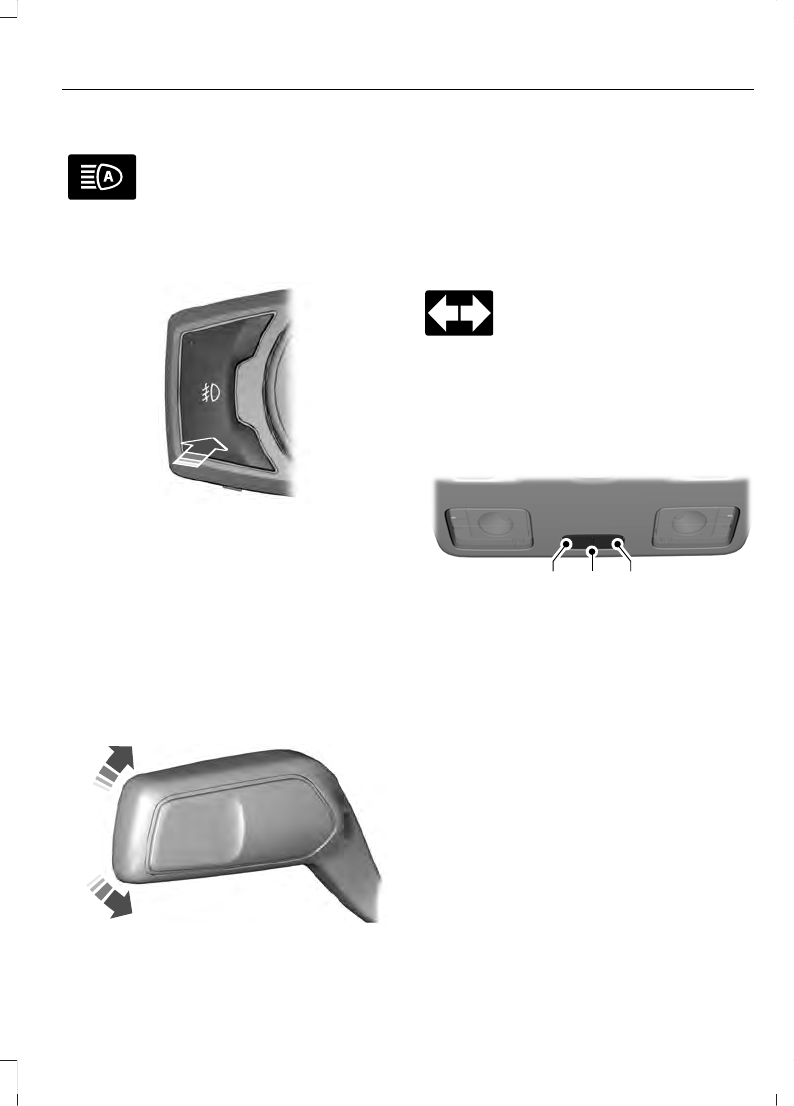
FRONT FOG LAMPS
(IF EQUIPPED)
E142453
Press the control to switch the fog lamps
on or off.
You can switch the fog lamps on when the
lighting control is in any position except
Off and the high beams are not on.
DIRECTION INDICATORS
Switching the Direction Indicators
On and Off
E242676
Push the lever up or down to switch the
direction indicators on.
Note:
Tap the lever up or down to make the
direction indicators flash three times.
Set the lever to the middle position to
switch the direction indicators off.
Direction Indicator
Flashes when you switch the
direction indicators on.
Note:
An increase in the rate of flashing
warns of a failed indicator bulb.
INTERIOR LAMPS
Courtesy L amp
B
C
A
E249790
Switch all lamps on.
A
Switch lamps on and off by door.
B
Switch all lamps off.
C
If you set the switch to the door position,
the courtesy lamp illuminates when you
unlock or open any door. If you leave a door
open with the ignition switched off, the
courtesy lamp goes off after some time to
prevent your vehicle battery from losing
charge. To switch it back on, switch the
ignition on for a short time.
The courtesy lamp also illuminates when
you switch the ignition off. It goes off after
a short time or when you start the engine.
81
Lighting
If you set the switch to the all on position
with the ignition switched off, the courtesy
lamp illuminates. It goes off after a short
time to prevent your vehicle battery from
losing charge. To switch it back on, switch
the ignition on for a short time.
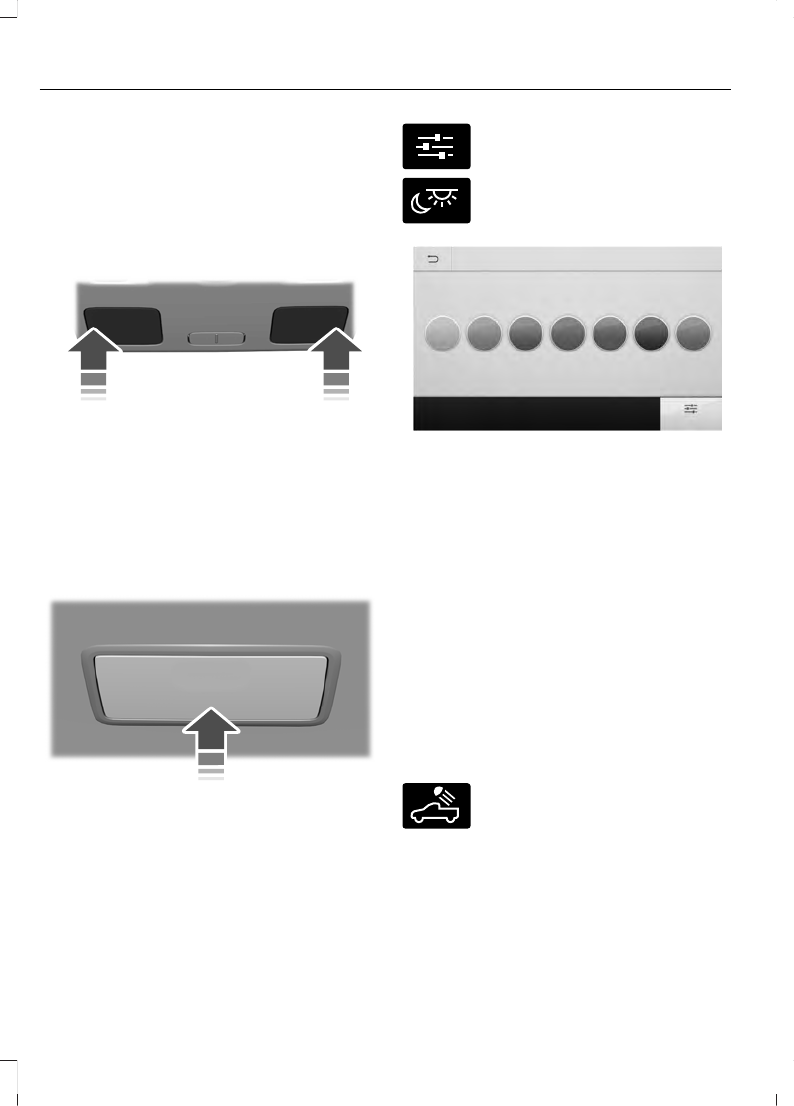
Reading L amps
E249791
Press the edge of the lamp lens to switch
on and off.
If you switch the ignition off, the reading
lamps turn off after a short time.
Note:
This is to prevent the vehicle battery
from losing charge.
Rear Courtesy L amp
E250958
For rear lamps without a position switch,
press the lamp lens to switch on and off.
AMBIENT LIGHTING
(IF EQUIPPED)
Use the touchscreen to select the
following:
E280315
Select the settings option on the
feature bar.
E280617
Select ambient lighting.
E280369
Switching Ambient Lighting On
Touch a color once.
Changing the Color
Touch any color once.
Adjusting the Brightness
Drag the selected color up or down.
Switching Ambient Lighting Off
Touch the selected color once or drag the
selected color down to zero brightness.
CARGO LAMPS
E189587
Press the button on the lighting
control to switch on the lamps.
Note:
The lamps turn off when you reach
3 mph (5 km/h).
Note:
The cargo lamps gradually turn off
after a period of time.
82
Lighting


